Contact Us

If you still have questions or prefer to get help directly from an agent, please submit a request.
We’ll get back to you as soon as possible.

Please fill out the contact form below and we will reply as soon as possible.

  • Contact Us
English (US)
US English (US)
FR French
DE German
  • Home
  • RFS 2.2
  • RFS 2.2: transceiver as transmitter

Unit settings -

Written by Anja Fricker

Updated at December 20th, 2023

Contact Us

If you still have questions or prefer to get help directly from an agent, please submit a request.
We’ll get back to you as soon as possible.

Please fill out the contact form below and we will reply as soon as possible.

  • Stelos 800 L
    Stelos: Safety Instructions – read before use | Environment Stelos: Firmware update Stelos: User Interface | Controls | Functions | Handling Stelos: Technical Data Stelos: Remote control | Flash triggering Stelos: Power supply | Battery Stelos: Maintenance | Repair | Warranty Stelos: Accessories & Spare Parts Stelos: Error messages
  • Satos
    Satos: Safety Instructions – read before use | Environment Satos: Firmware update Satos Satos: User Interface | Controls | Functions | Handling Satos: Technical Data Satos: Remote control | Flash triggering Satos: Power supply | Battery Satos: Maintenance | Repair | Consumables | Spare parts | Guarantee Satos: Accessories Satos: Charging station for up to 4 slide-in batteries
  • Pulso L
    Pulso L: Safety Instructions – read before use | Environment Pulso L: Firmware update Pulso L: User Interface | Controls | Functions | Handling Pulso L: Technical Data Pulso L: Maintenance | Repair | Consumables | Spare parts | Guarantee Pulso L: Accessories
  • Siros S
    Siros S: Safety Instructions – read before use | Environment Siros S: Firmware update Siros S: User Interface | Controls | Functions | Handling Siros S: Technical Data Siros S: Remote control | Flash triggering Siros S: Power supply Siros S: Maintenance | Repair | Consumables | Spare parts | Guarantee Siros S: Accessories
  • Siros L
    Siros L: Safety Instructions – read before use | Environment Siros L: Firmware update Siros L Siros L: User Interface | Controls | Functions | Handling Siros L: Technical Data Siros L: Remote control | Flash triggering Siros L: Power supply | Battery Siros L: Maintenance | Repair | Consumables | Spare parts | Guarantee Siros L: Accessories
  • Scoro E + S
    Scoro E & S: Safety instructions - read before use | Environment Scoro E & S: User interface | Controls | Functions | Handling Scoro E & S: Technical Data Scoro E & S: Remote control | Flash triggering Scoro E & S: Maintenance | Repair | Consumables | Spare parts | Guarantee
  • Move 1200 L
    Safety Instructions – please read before use | Environment Firmware update Move User Interface | Functions | Handling | Controls Technical Data Remote control | Flash triggering Power supply | Battery Maintenance | Repair | Consumables | Spare parts
  • RFS 2.1
    RFS 2.1: Safety Instructions - read before use RFS 2.1: Scope of Delivery and product overview RFS 2.1: Technical Data RFS 2.1: Operation as transmitter or receiver RFS 2.1: transceiver as transmitter RFS 2.1: Trouble shooting RFS 2.1: Accessories
  • RFS 2.2
    RFS 2.2: Safety Instructions - read before use RFS 2.2: Scope of Delivery and product overview (RFS 2.2) RFS 2.2: transceiver as transmitter RFS 2.2 transceiver as receiver RFS 2.2: Technical Data RFS 2.2: Firmware Update
  • RFS 3
    RFS 3: Safety Instructions – read before use | Environment RFS 3: Scope of delivery and operating elements RFS 3: User Interface | Controls | Functions | Handling RFS 3: Firmware Update RFS 3.0 RFS 3: Compatibility RFS 3: Technical Data RFS 3: Maintenance | Repair | Consumables | Spare parts | Guarantee RFS 3: Trouble shooting
  • Pulso G, Unilite and Picolite
  • LED F160
    LED F160: Safety instructions - read before use | Environment LED F160: Firmware Update LED F160 LED F160: User Interface | Controls | Functions | Handling LED F160: Technical Data LED F160: Maintenance | Repair | Error Messages| Guarantee LED F160: Accessories
  • Scope D50
    Scope D50: Videos
  • Compatibility (Lamp <-> light shaper | Lamp <-> power pack)
  • Locate your distributor or dealer
+ More
  • Stelos 800 L

    • Satos

      • Pulso L

        • Siros S

          • Siros L

            • Scoro E + S

              • Move 1200 L

                • RFS 2.1

                  • RFS 2.2

                    • RFS 3

                      • Pulso G, Unilite and Picolite

                        • LED F160

                          • Scope D50

                            • Compatibility (Lamp <-> light shaper | Lamp <-> power pack)

                              • Locate your distributor or dealer

                                Operation
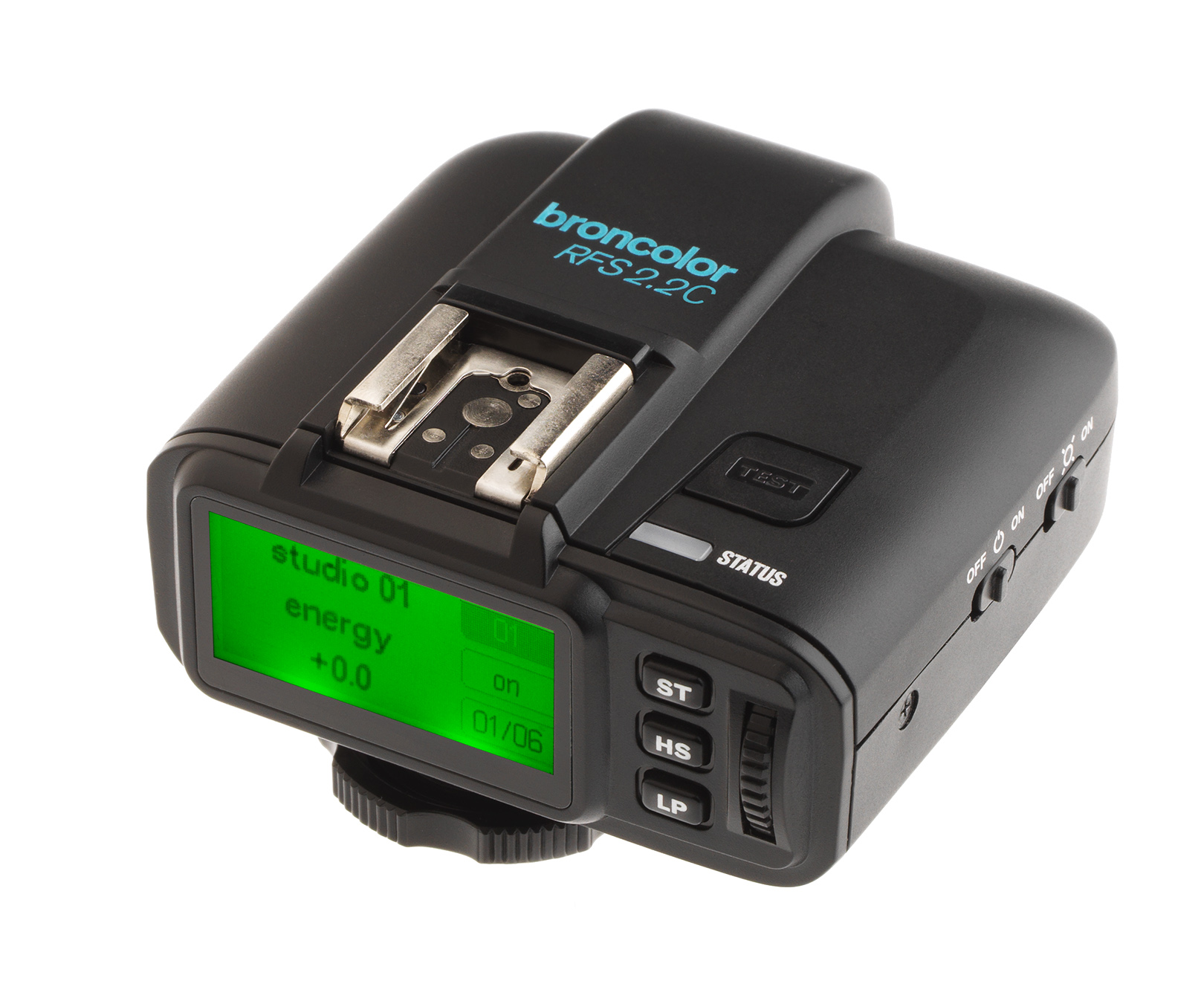
                                 –    Switch the RFS 2.2 unit off (slide main switch to "off")
                                 –    Press and hold the "test" key and simultaneously switch on the RFS 2.2 (slide main switch to "on")
                                 –    Turn the scrolling wheel until you reach the desired function
                                 –    Mark the function with the "LP" key (set)
                                 –    Use the scrolling wheel to determine the property
                                 –    Press "LP" to confirm selection (back)
                                 

                                unit setup unit configuration

                                Was this article helpful?

                                Yes
                                No
                                Give feedback about this article

                                Related Articles

                                • Operation - RFS 2.2 transceiver as transmitter
                                • Settig studio addresses - RFS 2.2 transceiver as transmitter
                                • Setting the lamp channel - RFS 2.2 transceiver as transmitter
                                • Energy control -
                                • HS - RFS 2.2 transceiver as transmitter

                                Copyright 2026 – broncolor.

                                Knowledge Base Software powered by Helpjuice

                                Expand