Contact Us

If you still have questions or prefer to get help directly from an agent, please submit a request.
We’ll get back to you as soon as possible.

Please fill out the contact form below and we will reply as soon as possible.

  • Contact Us
English (US)
US English (US)
FR French
DE German
  • Home
  • Siros L
  • Siros L: Remote control | Flash triggering

Flash release - Siros L

Written by Axel Schmidt

Updated at January 5th, 2023

Contact Us

If you still have questions or prefer to get help directly from an agent, please submit a request.
We’ll get back to you as soon as possible.

Please fill out the contact form below and we will reply as soon as possible.

  • Stelos 800 L
    Stelos: Safety Instructions – read before use | Environment Stelos: Firmware update Stelos: User Interface | Controls | Functions | Handling Stelos: Technical Data Stelos: Remote control | Flash triggering Stelos: Power supply | Battery Stelos: Maintenance | Repair | Warranty Stelos: Accessories & Spare Parts Stelos: Error messages
  • Satos
    Satos: Safety Instructions – read before use | Environment Satos: Firmware update Satos Satos: User Interface | Controls | Functions | Handling Satos: Technical Data Satos: Remote control | Flash triggering Satos: Power supply | Battery Satos: Maintenance | Repair | Consumables | Spare parts | Guarantee Satos: Accessories Satos: Charging station for up to 4 slide-in batteries
  • Pulso L
    Pulso L: Safety Instructions – read before use | Environment Pulso L: Firmware update Pulso L: User Interface | Controls | Functions | Handling Pulso L: Technical Data Pulso L: Maintenance | Repair | Consumables | Spare parts | Guarantee Pulso L: Accessories
  • Siros S
    Siros S: Safety Instructions – read before use | Environment Siros S: Firmware update Siros S: User Interface | Controls | Functions | Handling Siros S: Technical Data Siros S: Remote control | Flash triggering Siros S: Power supply Siros S: Maintenance | Repair | Consumables | Spare parts | Guarantee Siros S: Accessories
  • Siros L
    Siros L: Safety Instructions – read before use | Environment Siros L: Firmware update Siros L Siros L: User Interface | Controls | Functions | Handling Siros L: Technical Data Siros L: Remote control | Flash triggering Siros L: Power supply | Battery Siros L: Maintenance | Repair | Consumables | Spare parts | Guarantee Siros L: Accessories
  • Scoro E + S
    Scoro E & S: Safety instructions - read before use | Environment Scoro E & S: User interface | Controls | Functions | Handling Scoro E & S: Technical Data Scoro E & S: Remote control | Flash triggering Scoro E & S: Maintenance | Repair | Consumables | Spare parts | Guarantee
  • Move 1200 L
    Safety Instructions – please read before use | Environment Firmware update Move User Interface | Functions | Handling | Controls Technical Data Remote control | Flash triggering Power supply | Battery Maintenance | Repair | Consumables | Spare parts
  • RFS 2.1
    RFS 2.1: Safety Instructions - read before use RFS 2.1: Scope of Delivery and product overview RFS 2.1: Technical Data RFS 2.1: Operation as transmitter or receiver RFS 2.1: transceiver as transmitter RFS 2.1: Trouble shooting RFS 2.1: Accessories
  • RFS 2.2
    RFS 2.2: Safety Instructions - read before use RFS 2.2: Scope of Delivery and product overview (RFS 2.2) RFS 2.2: transceiver as transmitter RFS 2.2 transceiver as receiver RFS 2.2: Technical Data RFS 2.2: Firmware Update
  • RFS 3
    RFS 3: Safety Instructions – read before use | Environment RFS 3: Scope of delivery and operating elements RFS 3: User Interface | Controls | Functions | Handling RFS 3: Firmware Update RFS 3.0 RFS 3: Compatibility RFS 3: Technical Data RFS 3: Maintenance | Repair | Consumables | Spare parts | Guarantee RFS 3: Trouble shooting
  • Pulso G, Unilite and Picolite
  • LED F160
    LED F160: Safety instructions - read before use | Environment LED F160: Firmware Update LED F160 LED F160: User Interface | Controls | Functions | Handling LED F160: Technical Data LED F160: Maintenance | Repair | Error Messages| Guarantee LED F160: Accessories
  • Scope D50
    Scope D50: Videos
  • Compatibility (Lamp <-> light shaper | Lamp <-> power pack)
  • Locate your distributor or dealer
+ More
  • Stelos 800 L

    • Satos

      • Pulso L

        • Siros S

          • Siros L

            • Scoro E + S

              • Move 1200 L

                • RFS 2.1

                  • RFS 2.2

                    • RFS 3

                      • Pulso G, Unilite and Picolite

                        • LED F160

                          • Scope D50

                            • Compatibility (Lamp <-> light shaper | Lamp <-> power pack)

                              • Locate your distributor or dealer

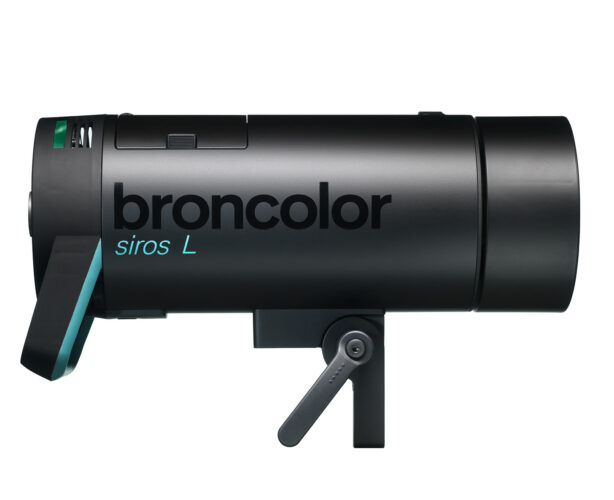
                                Siros L monolights are supplied with the RFS 2 module built in. 


                                RFS 2 module (radio frequency system) 
                                For RFS 2.1 / RFS 2.2 flash control, the channel (studio address) must correspond to the transmitter's channel. The studio address is set in the menu at position “st”. The lamp channel is defined in the menu under “lamp”. 


                                With the radio transceiver, you can define and set the individual lamps as you wish. To learn how to do this, please see the operating instructions for the transceiver. The transceiver is not included in the scope of supply as standard. 


                                Photocell (cell)
                                The photocell can be switched on and off using the menu function “sync”. When it is active, the blue LED beside the “cell” label is illuminated. After the first flash of a sequence, the active photocell is deactivated, and the blue LED beside the “sync” button blinks. Pressing the “test” button switches it on again. 


                                Synchro socket
                                The sync cables, 5 m (16.4 ft) (Art. No. 34.111.00) or 10 m (32.8 ft) (34.112.00), can be fitted to the socket for cable release. 


                                “test“ button
                                Using this button, the monolight can be triggered manually. The flash can be triggered as soon as 90 % of the set energy level is reached. The visual “ready” indicator, on the other hand, only illuminates when 100 % is attained. 


                                flash

                                Was this article helpful?

                                Yes
                                No
                                Give feedback about this article

                                Related Articles

                                • Set a sequence - Siros L
                                • Function overview: Siros 400 L, Siros 800 L
                                • Controlling flash times - Siros L
                                • Initial commissioning – Siros L

                                Copyright 2026 – broncolor.

                                Knowledge Base Software powered by Helpjuice

                                Expand